Download Google Docs, Sheets, and Slides with Google Workspace for Windows: Productivity tools for real-time collaboration
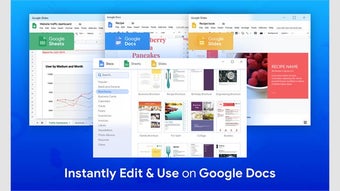
Google Docs, Sheets, and Slides are free online collaboration tools that let you create and edit documents, spreadsheets, and presentations and share them. These tools are part of Google Workspace’s collaborative tools, allowing multiple users to work on the same document simultaneously. You can create a document from scratch or use one of the many Google Docs, Sheets, and Slides templates available for a quick and easy professional-looking document.
Top Recommended Alternative
Users can collaborate on documents in real time and instantly communicate with team members using the built-in chat feature. A commenting feature also lets you provide feedback directly within the document, and version history records all alterations, showing all users who made changes. Once you download Google Docs, Sheets, and Slides with Google Workspace for Windows, team collaboration becomes efficient and organized.
What is Google Workspace?
Google Workspace (formerly G Suite) is a collection of cloud-based tools designed to help individuals and businesses work more efficiently. The collection includes popular tools like Gmail, Google Drive, Google Docs, Google Slides, Google Sheets, Google Chat, Google Meet, and more. These tools seamlessly integrate with each other, providing users with a seamless experience and allowing them to collaborate in real time and access their files from anywhere, anytime. The core applications in Google Workspace include:
- Gmail: The enterprise version of Gmail provides professional email accounts that include your company’s unique domain name, enhanced security features, and 30GB storage per user. Users also get priority support and advanced admin controls.
- Google Drive: This cloud storage lets you access and share files from anywhere. Users get advanced file-sharing permissions, robust search capabilities, unlimited storage (Enterprise plans), and shared Drives for team collaboration.
- Google Docs, Sheets, and Slides: These productivity tools allow real-time collaboration in creating and editing documents, spreadsheets, and presentations. They provide a seamless work experience and boost productivity through features like version history, offline access, comments and suggestions, translations, and more.
Beyond its core applications, Google Workspace also provides communication tools to facilitate collaboration among team members and stakeholder communication. These tools include:
- Google Meet: A video conferencing tool that offers both audio and video calls, with screen sharing capabilities, live captions, meeting recording, and custom backgrounds.
- Google Chat: A streamlined and secure messaging tool that facilitates team communication and collaboration. Google Chat offers direct and group messages, threaded conversations, file sharing, and a platform for group discussions and project tracking.
Key features of Google Docs, Sheets, and Slides with Google Workspace for Windows
Google Docs, Sheets, and Slides with Google Workspace are productivity tools that streamline workflow and enable real-time collaboration. The tools provide a comprehensive suite of innovative features to achieve this goal. These include:
- Auto-save and version history: Google Docs, Sheets, and Slides save your work as you create it and create a version history. You don’t have to worry about losing your progress in case of a power cut, as these tools automatically save progress online. Additionally, version history ensures that you see previous versions of the file and can roll back to any if needed.
- Add-ons: Add-ons are one of the most beneficial features as they allow customization and expand the functionality of Google Docs, Sheets, and Slides. Using the add-ons tab, you can add new features such as translation tools, grammar checkers, and citation tools.
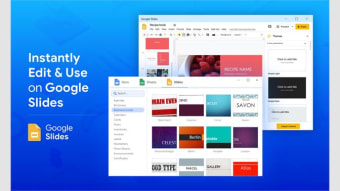
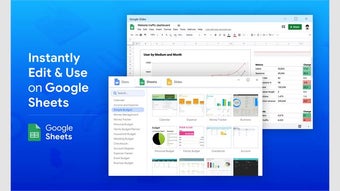
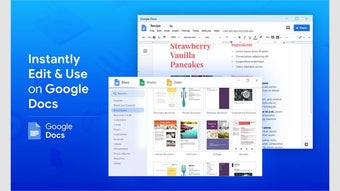
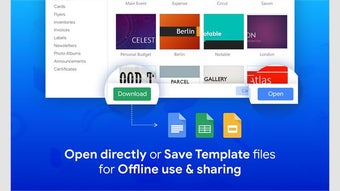
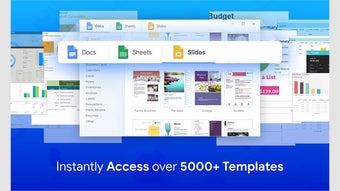
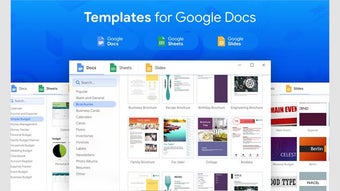
- Templates: If you need to create a file quickly, Google Docs, Sheets, and Slides templates let you do it fast and in style. These tools feature numerous pre-designed documents, presentations, and spreadsheets ready for customization.
- Offline access: Google Docs, Sheets, and Slides are cloud-based tools that can be made available for working offline. Once offline access is set up, new files and edits to existing documents will be automatically synced when you return online.
- Compatibility: Google Docs, Sheets, and Slides files are compatible with many other file formats, allowing easy conversion between Google and other productivity software. You can download and export files in your preferred file format or import the different file formats to Google Workspace.
- Real-time collaboration: Google Docs, Sheets, and Slides allow multiple users to work on the same document simultaneously. All changes are made in real-time and automatically stored in Google Drive. This feature ensures that every team member has the latest version of the document, and changes are color-coded so you can see the changes made by each user.
- Mobile accessibility: You don’t need to move around with your device to access or share your files from Google Docs, Sheets, and Slides. You can access, create, edit, and share your files from any device as long as you have your Google account credentials.
Why download Google Docs, Sheets, and Slides with Google Workspace for Windows
Google Docs, Sheets, and Slides with Google Workspace will run on Windows 10 devices or later versions (64-bit only), and you need to have the latest version of Google Chrome installed. Google Workspace offers many benefits, including:
- Enhanced collaboration: Google Workspace’s collaboration tools allow team members to work on the same document simultaneously, regardless of their physical location.
- Improved productivity: Google Workspace integrates all tools into a single platform, streamlining workflow.
- Strong security: Google Workspace prioritizes security with features like data encryption, two-factor authentication (2FA), and regular security updates.
- Cost-effective: By consolidating several productivity tools into one bundle, Google Workspace provides affordable collaboration tools for small businesses and large organizations.
- Scalability: Whether you are a startup or a large corporation, Google Workspace can adapt to your requirements.
Many Google Workspace applications, including Google Docs, Sheets, and Slides, have free counterparts, but they typically come with limitations. However, upgrading to a paid plan gives you the full power of the Google Workspace suite. Some of the main differences between free and paid apps include:
- Advanced security
- Streamlined account management
- Higher limits
- Custom domain and branded email
Grow your business with Google Workspace – Free for 14 days!